Your orders
The board, the statuses, an order's detail, and orders taken over the phone.
Every order lands on a board, one column per step. You move an order on by dragging it to the next column, and your customer is emailed at each step.
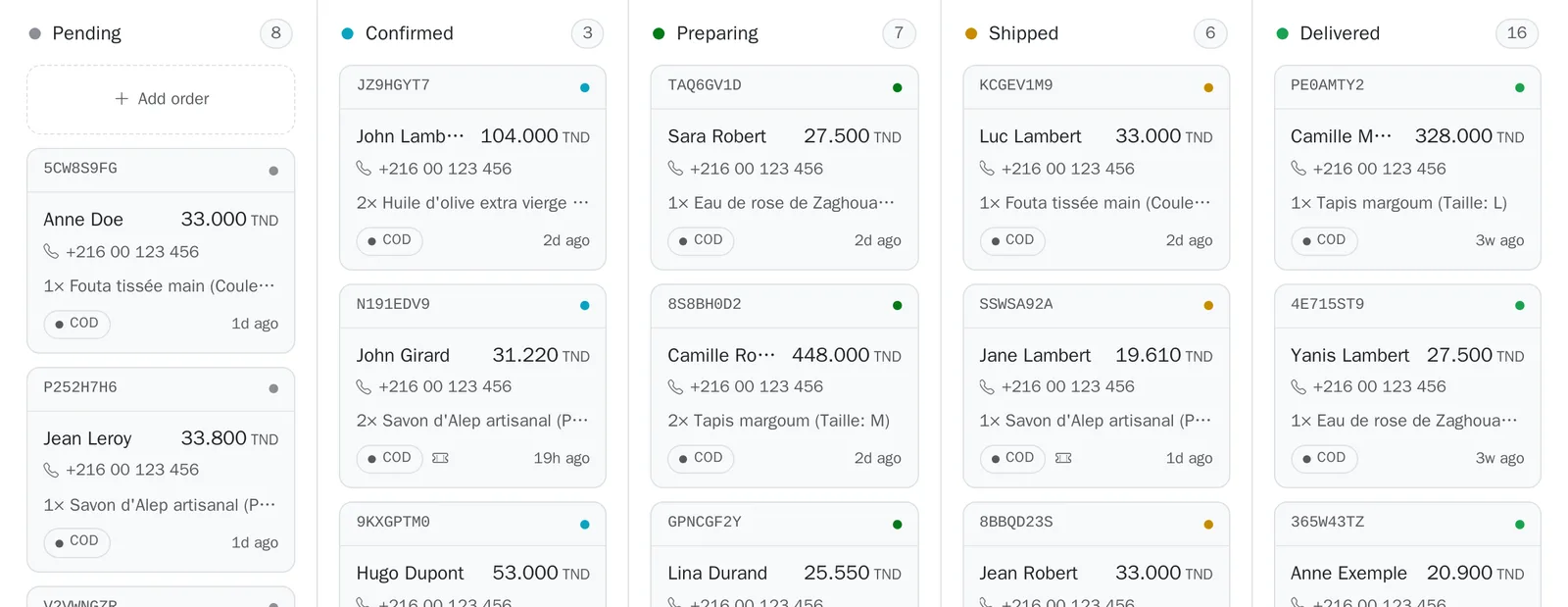
The steps#
Where to go:Dashboard
| Step | What it means |
|---|---|
| Pending | The order has just arrived and you have not confirmed it yet. |
| Confirmed | You have validated the order, often after a call to the customer. |
| Preparing | You are packing the parcel. |
| Shipped | The parcel has left with your courier. |
| Delivered | The customer received the parcel and you collected the money. |
| Cancelled | The order will not happen. The stock goes back. |
| Declined | The customer refused the parcel on delivery. The stock goes back. |
You move one step at a time, and you can step back once if you make a mistake. A cancelled or declined order is final.
An order's detail#
Where to go:Dashboardan order
Click an order to open its detail: the customer and their phone number, tappable to call them straight away, the items, the price breakdown with the delivery, and the history of everything that happened.
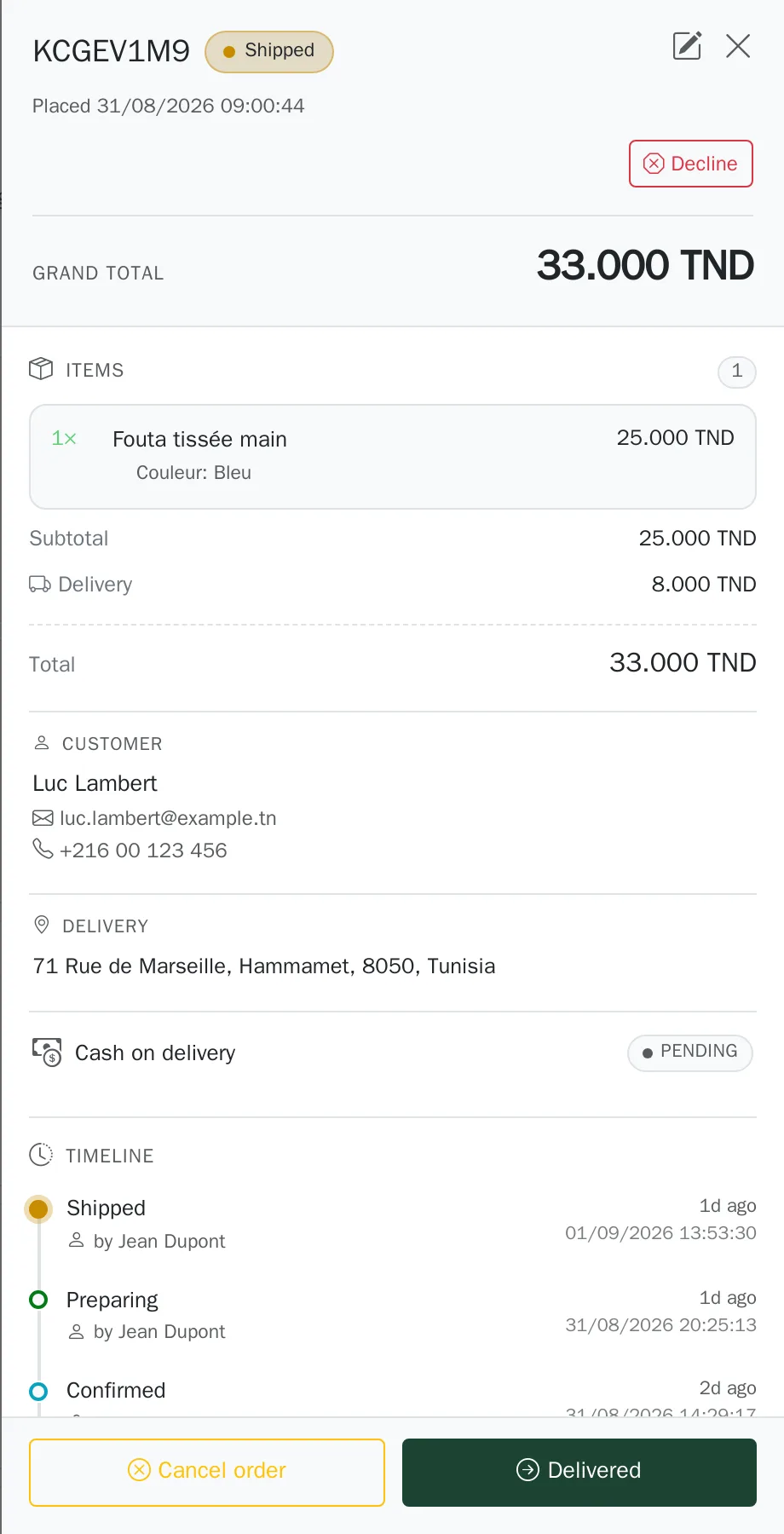
Editing an order#
Until the order is being prepared, you can correct the items and the quantities. The address stays editable until it ships. The customer's contact details and your internal note can be changed at any time. Your customer is emailed when the change concerns them.
Cancelling or declining#
Cancel an order any time before it is delivered, explaining why: your customer receives your explanation. “Declined” is for the particular case of a parcel that came back because the customer would not take it. Either way the stock goes back on the shelf.
Entering an order that came another way#
Where to go:DashboardOrdersCreate an order
An order that arrived by phone or in a private message is entered by hand and joins the same board: you follow everything in one place and your stock stays right.
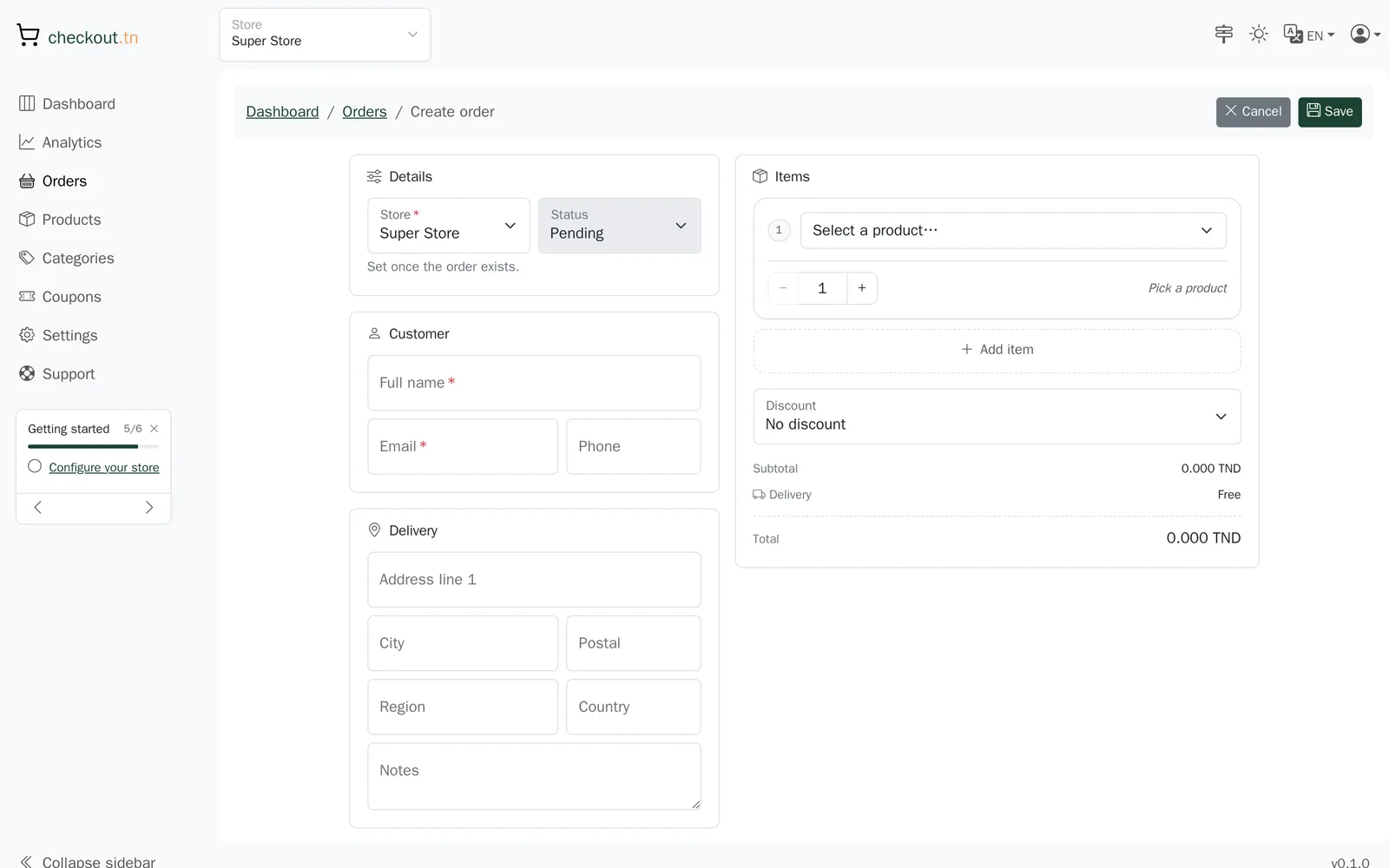
On a phone there is no drag and drop: open the order's detail, the step buttons are there.
Can't find your answer?
Write to us from your dashboard, under Support. A real person answers.
Create my store