Your store
The identity your customers will see: name, logo, colour, contact details and legal pages.
Your store settings decide what your customers see: your order page and your emails carry your name, your logo and your colour, not ours. It all lives in Settings, then your store.
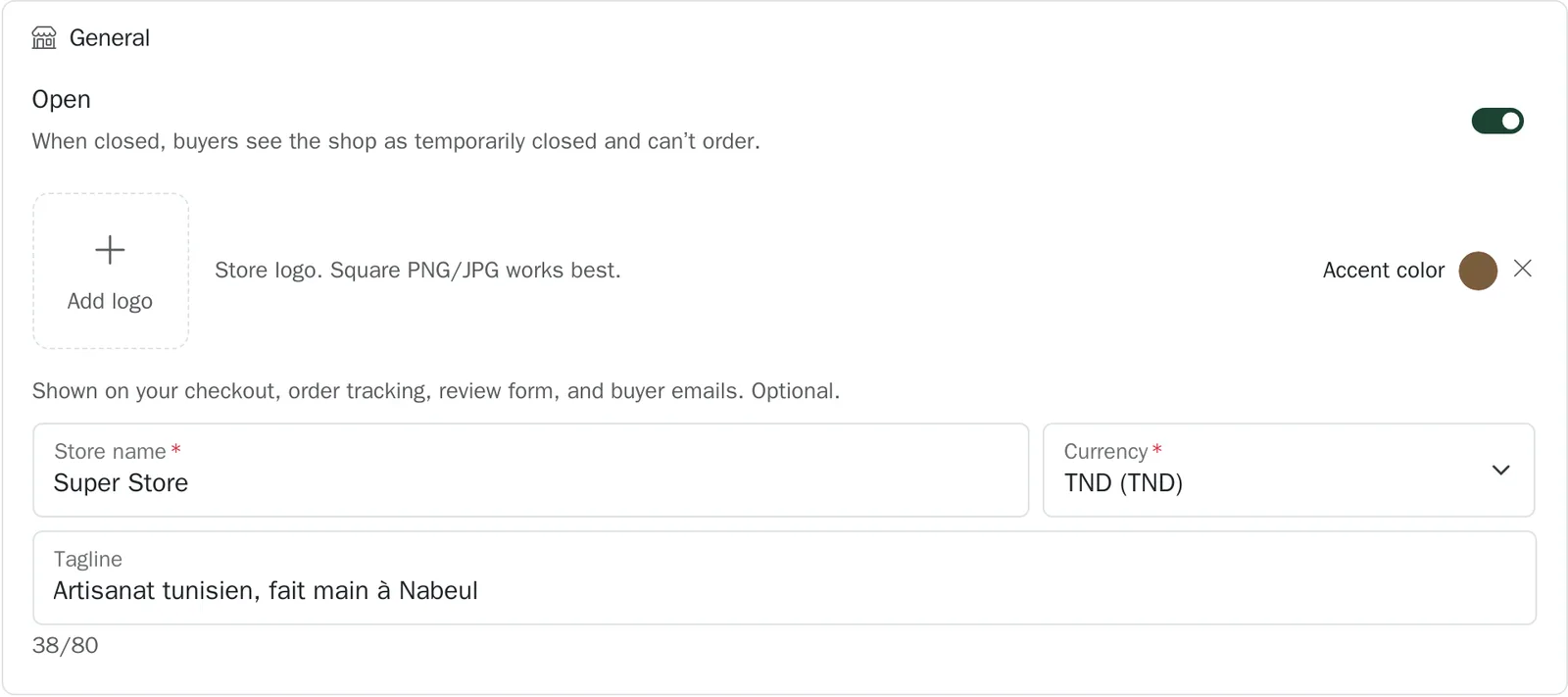
Name, logo and colour#
Where to go:DashboardSettingsyour storeGeneral
- The name appears on the order page, in your emails and on the tracking page.
- The logo is cropped square. A sharp image of at least 400 pixels a side is enough.
- The accent colour tints the headings and the links of your customer pages. Pick your brand's.
- The tagline is a short line under the name, for instance your speciality or your city.
Your customers' language#
Where to go:DashboardSettingsyour storeStore configuration
The store language decides the language of your order page, of the tracking page and of every email sent to your customers: French, Arabic or English. It is independent of your dashboard's language.
Contact details and social links#
Where to go:DashboardSettingsyour storeContact
Your support email and phone appear at the foot of your order page: that is how a customer reaches you before buying. Your Facebook, Instagram and TikTok links add a “Follow us” row to your customer pages.
The notification address is a different thing: it is the one that receives your new-order alerts. Leave it empty and the alerts go to your account address.
Closing temporarily#
The “Open” switch pauses your store: your links stay valid but politely refuse new orders. Useful during a holiday or a general stock-out.
Legal pages#
Where to go:DashboardSettingsyour storeStore configuration
If you have your own terms of sale and privacy policy, give their addresses: your customer pages will point at yours. Otherwise they point at checkout.tn's.
Can't find your answer?
Write to us from your dashboard, under Support. A real person answers.
Create my store